Power your business with AI built for the way you work

Ready to turn AI into practical business value without disrupting how your team works?

Download the eBook, “Power your business with AI built for the way you work,” to discover how Microsoft 365 Business with Copilot can help you:
– Bring AI into everyday workflows
– Ground AI in real business context
– Delegate multi-step work to secure AI agents
– Free employees for higher-value priorities

πŸ“˜ @microsoft-copilot

St. Luke’s saves nearly 200 hours monthly with AI-powered Security Copilot agents | Microsoft Customer Stories

When St. Luke’s University Health Network sought real-time insight across various security platforms, they turned to Microsoft Defender’s Security Copilot.

With the help of Security Copilot agents, the team now benefits from a unified overview of alerts, access controls, and vulnerabilities, resulting in a time savings of nearly 200 hours each month on phishing alert triage and enabling incident reports to be generated in minutes instead of hours.

Discover more about St. Luke’s journey. πŸ₯ @Microsoft Security

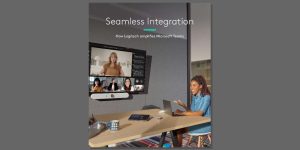
How Logitech Amplifies Microsoft Teams Whitepaper

Microsoft Teams offers the software, while the room’s hardware determines how well participants are seen and heard.

This whitepaper outlines how Logitech solutions, certified for Microsoft Teams, enhance meeting equity, facilitate content sharing, support hybrid work, enable room booking, and provide device analytics.

To discover which Logitech solutions are suitable for your spaces, download the whitepaper now. πŸ“„ @Logitech for Business

Banco do Brasil improves collaboration and security with Windows 11 Enterprise | Microsoft Customer Stories

By standardizing operations across thousands of branches and empowering teams with modern Windows 11 capabilities, Banco do Brasil strengthened security, simplified management, and boosted collaboration. Microsoft Teams usage is up 117%.​

Discover how Banco do Brasil drives secure, scalable transformation with Windows 11. ​

Read the story​:πŸ‘‡

@microsoft-windows #Windows11 #ModernWork #BankingInnovation

Microsoft 365 Copilot: Work, transformed

Over the last twelve months, more than 30 million people have used Copilot to move faster, uncover deeper insights, and create greater impact.

This short video looks back at how these AI-powered capabilities have revolutionized the way people work, and looks ahead to what Microsoft 365 Copilot will make possible.

Watch. πŸ’‘ @microsoft-copilot

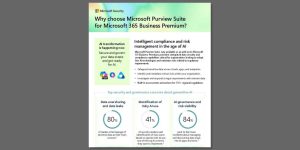
Why choose Microsoft Purview Suite for Microsoft 365 Business Premium

Generative AI evolves at a pace that outstrips the capabilities of most data governance programs.

The Microsoft Purview Suite, now integrated with Microsoft 365 Business Premium, offers a comprehensive solution that includes data security, compliance, insider risk management, data loss prevention, eDiscovery, and auditing – all in one package. It also ensures coverage for over 350 regional regulations.

Check out this one-pager to compare the features and potential licensing savings. πŸ” @Microsoft Security

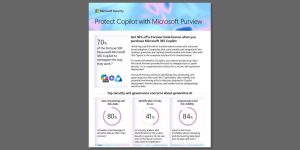
Protect Copilot with Microsoft Purview

Microsoft 365 Copilot transforms how work gets done–though only when data is secure, governed, and ready for AI. πŸ”

The one-pager, “Protect Copilot with Microsoft Purview,” details how Microsoft Purview helps you gain visibility into oversharing and insider risks while improving data protection, data loss prevention, and AI governance. With Microsoft offering eligible Copilot customers 50% off Purview Suite, now is the time to build a strong AI foundation and adopt Copilot with more confidence.

Download your complimentary copy of the one-pager.

@Microsoft Security @Microsoft Copilot

Microsoft Ignite Sizzle Video

When your teams need to move faster, the right tools matter. πŸ’‘ See how new Copilot capabilities on Windows 11 devices help your workforce collaborate, create, and get more done. @microsoft-windows @microsoftcopilot

HP Zbook Firefly AMD

The modern work environment encompasses hybrid employees, in-office staff, flexible workstations, and meeting spaces, with each group requiring distinct tools.

This video explores the Logitech offerings designed for Microsoft Teams, featuring Logi Dock for flexible desk reservations, native Teams Rooms running on the Rally Bar, AI-powered visuals that enhance meeting equity, and IT functionalities such as Teams Rooms Pro Management and Logitech Sync analytics.

Check out the video to understand how everything connects, and then reach out to us to discuss the needs of your spaces. πŸŽ₯ @Logitech for Business