News

AGCO scales employee-built AI agents with Microsoft Copilot Studio | Microsoft Customer Stories

When AGCO needed to keep employees from experimenting with disconnected AI tools outside enterprise governance, it adopted Microsoft Copilot Studio and Microsoft 365 Copilot.

More than 900 employees volunteered to build agents with support from AI champions and Microsoft specialists, and some quality reviews now take about an hour instead of weeks.

Read the story to learn from AGCO’s experience. 🌾 @microsoft-copilot
Top 3 Challenges in Securing and Governing Data for the Era of AI

Increasing data risks, changing regulations, and disjointed tools can hinder secure AI adoption.

This whitepaper highlights the 3️⃣ primary challenges of safeguarding and managing data in the AI landscape, along with how a unified platform solution tackles each challenge.

Download the whitepaper to learn how to proceed securely. @Microsoft Security

Deploy AI-ready Microsoft Teams Rooms Faster

Expanding meeting room capabilities typically involves contractors, cabling, and extended timelines.

This eBook illustrates how Logitech’s Express Install kits and integrated solutions like the Rally Board 65 enable the setup of Microsoft Teams Rooms in under an hour, often without the need for specialized AV knowledge.

Download your copy to see how streamlined, faster deployment can integrate features like Copilot, IntelliFrame, People Recognition, and intelligent meeting recap into more of your environments. @Logitech For Business

Windows 11 Pro for Business – Phishing

A fake bonus email almost had an entire office fooled, until Windows 11 Pro stepped in. Watch the video to see how protections built into Windows 11 Pro catch a phishing link before anyone clicks. 🛡️ @microsoft-windows

Microsoft Teams Rooms on Windows

The size of a room should not dictate how effective a meeting can be.

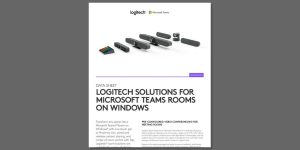
This datasheet outlines Logitech’s solutions for Microsoft Teams Rooms on Windows, pairing various room dimensions with conference cameras, Tap touch controllers, certified mini PCs, and accessories such as Rally Mic Pods, Sight, and Scribe.

Download the datasheet to find the best configuration for your spaces. @Logitech for Business

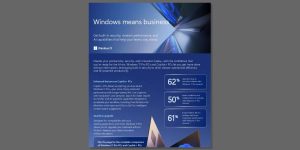
Windows Means Business

Phishing attempts are getting harder to spot, and one click can put your data at risk. Message us to talk through stopping them with Windows 11 Pro for Business. 🛡️ @Microsoft Windows

Hank knows pizza. Copilot knows Excel.

Business spreadsheets can take time away from the work customers come to you for.

In this video, a pizza shop owner named Hank uses Microsoft 365 Copilot in Excel to manage his business spreadsheets so he can focus on making pizza.

Watch the video, then message us to explore how Copilot in Excel can give your business more time for what matters. 🍕 @microsoft-copilot

5 Copilot in Excel Tips to Try Today | Microsoft 365

Cleaning data and building formulas by hand can slow down analysis in Excel.

This short video shows 5 ways Microsoft 365 Copilot in Excel helps you format data into tables, create formulas, generate charts, update datasets, and highlight the insights that matter.

Watch the video, then message us to explore how Copilot can help your business analyze data faster. 📊 @microsoft-copilot

Windows Means Business Comparison Guide

Wondering whether Copilot+ PCs are worth the investment?

Download the eBook to see why businesses project a substantial three-year ROI through stronger efficiency and reduced security risk. 📊 @Microsoft Windows @Microsoft Copilot

Microsoft Defender Suite

Disparate security tools lead to increased licensing expenses and create vulnerabilities between them. 🔒

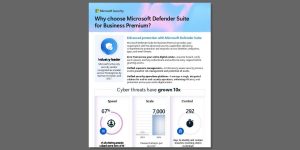
This one-pager demonstrates how Microsoft Defender Suite for Business Premium consolidates protection across identities, endpoints, email, collaboration, and SaaS applications on a Zero Trust framework.

Explore how the suite enhances cyber resilience while reducing per-license costs by approximately 65%. @Microsoft Security