News

10 innovation areas that are reshaping app development

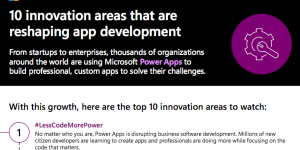
Be a part of the global movement. From start-ups to established enterprises, organizations around the world are leveraging Microsoft Power Apps to reshape app development. Discover 10 innovation areas where Power Apps is changing business. Read on:
Teams quick start guide

@MicrosoftTeams is the fastest-growing business app in company history. Users love its versatility as a collaboration and chat hub—as well as its privacy and security.

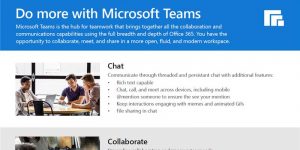
Whether you’re new to Teams and need a basic quick start guide, or you’re already using Teams and want to make sure you know its capabilities—you’ll want access to this Teams quick start guide!

Scale as you grow with Power Apps

Scale is essential for a growing business. Microsoft Power Apps gives you the agility you need to move from one app to many without sacrificing security. Power Apps provides professional-grade features so you can develop at scale and have all your data in one place. Start building today. Watch this brief video to learn more:

Privacy, security, and compliance are prioritized in Microsoft Teams

Remote work has been on the rise globally for the past couple of years. As more people using digital applications to communicate and collaborate, the need for privacy, security, and compliance has never been so important. @MicrosoftTeams is committed to protecting your data, identity, and account information. It defends against cybersecurity threats and meets more than 90 compliance and regulatory standards. Microsoft is also committed to continued learning and ultimately offering the highest security possible.

Introduction to Power Apps – Learn

Your business is unique, and so are your challenges. Discover the right app for you with Microsoft Power Apps. Power Apps connects to common data sources so you can integrate easily. Read about the process, watch a video, and learn from a customer success story in this insightful manual:

NSW: Affording a device in every hand

Integration with other apps is the key to @MicrosoftTeams success. Users appreciate seamless transitions between the Teams app and other Microsoft apps, including Word, Outlook, Excel, and OneNote, just to name a few. Meeting attendees have everything they need to collaborate, plan, and work—and it’s all at an affordable price point. View this video to learn how one organization in Australia capitalized on integration and affordability by choosing Teams.

Kelly Roofing uses PowerApps to capture photos at work sites

Microsoft Power Apps fixed a business traffic jam for Kelly Roofing. This company was overloaded with paperwork and broken communication lines due to their vast client territory. But with Power Apps, they created a custom app that integrated photos, reports, scheduling, and client info for hundreds of employees to access. Read their success story here:

Spotlight on ‘Teams as a Platform’ at Virtual Microsoft Build 2020

You may be hearing buzz about announcements made in late May about Microsoft Teams and especially its integration with Power Platform.

In his article, “Spotlight on ‘Teams as a Platform’ at Virtual Microsoft Build 2020,” Patrick Moorhead explains highlights, such as app development and management and scheduling improvements within Teams. For example, users in Power BI can click Share to Teams to import and share reports (or parts of reports). “By integrating these two tools [Teams and Power Platform], Teams is now essentially a full-blown platform,” writes Moorhead. Read his entire article for all the highlights!

Implementing Role Based Security In Your PowerApps App

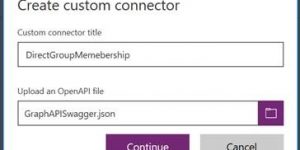
Security and governance are important factors considered by Microsoft Power Apps. This tutorial illustrates how you can implement permissions in a custom app. Following the tutorial also shows you how to implement any custom connector in the Power Apps environment. Get started here:

Benefits of Microsoft Teams

The chat feature in Microsoft #Teams is designed for the modern worker. It’s rich text capable and supports @mentions to ensure quick notification. Users can chat (and call and meet) across devices, including mobile.

Check out this flyer for more details about the collaboration, meetings and calling features. Teams is the hub for teamwork that brings everything together!